
Permissions
Members fall into three roles based on what they are allowed to do: Owner, Admin, and User.
Roles#
Owner#
The person who created and owns the workspace, holding every permission.
- Assign and change admins, set user permissions
- Subscribe to and change plans, register payment details, set the billing contact
- Connect apps
- Create, edit, and delete workspace assets
- Create, edit, complete, and delete projects; download results
- Delete the workspace
Admin#
Invited to the workspace but granted most permissions so they can manage it.
- Set and change user permissions, connect apps
- Subscribe to and change plans, register payment details, view usage
- Create, edit, and delete workspace assets
- Create, edit, complete, and delete projects; download results
User#
Invited with a limited set of permissions.
- Create, edit, and delete assets only for items they were granted
- Create, edit, and complete projects; download results
- Edit and view sentences in the editor, raise and read issues
Per-item permissions#
Workspace settings > Permissions grants permissions item by item, per member.
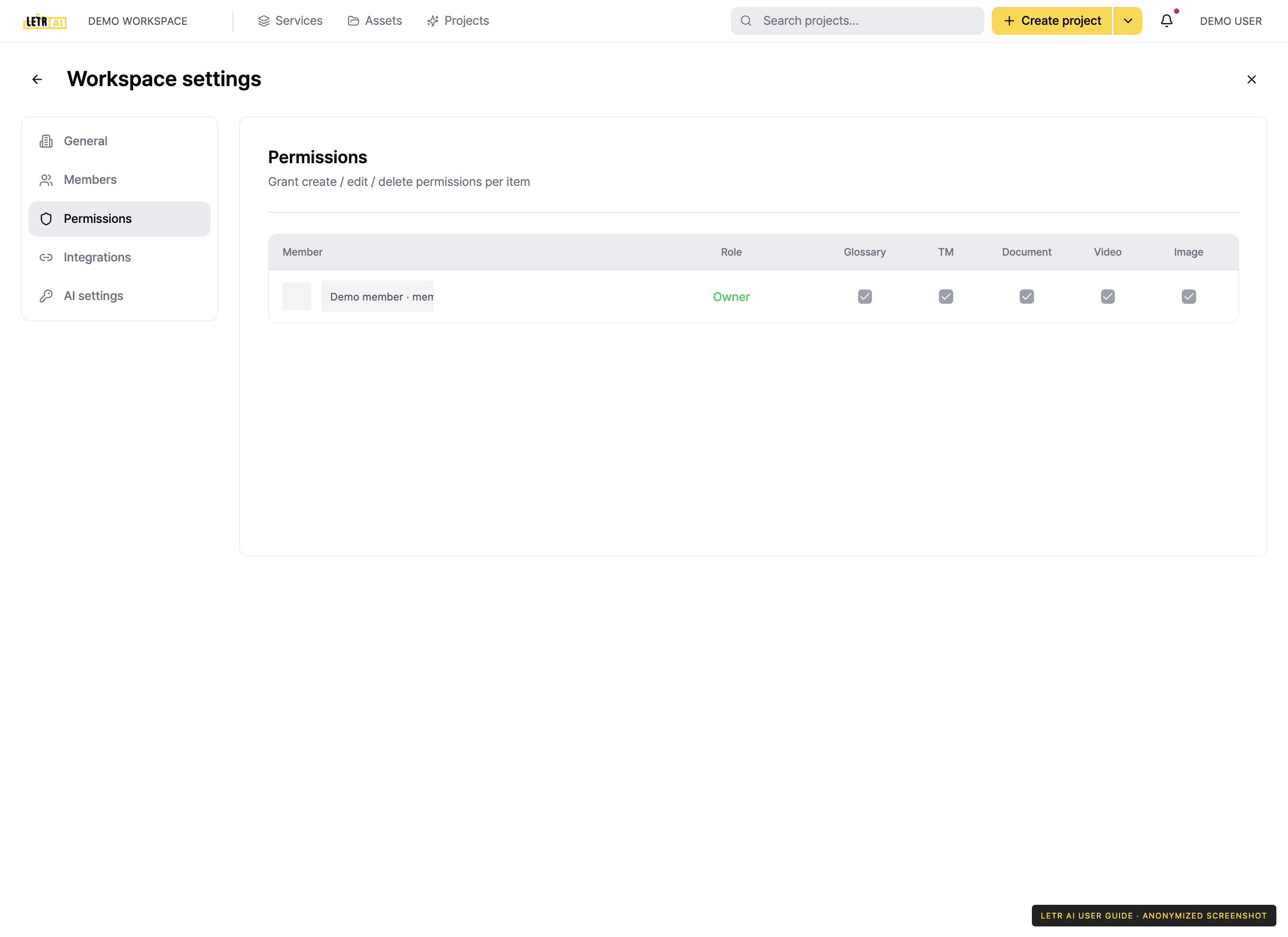
Each column is a target. Checking the box lets that member create, edit, and delete that item.
| Column | Target |
|---|---|
| Glossary | Term glossaries |
| Translation memory | Translation memory (TM) |
| Document · Video · Image | Assets of that type |
Account and contact details in screenshots are anonymized. Menus may vary by role and release.