
Projects
A project holds one piece of localization work. Uploading the source, refining it in the editor, and exporting the result all happen inside a project.
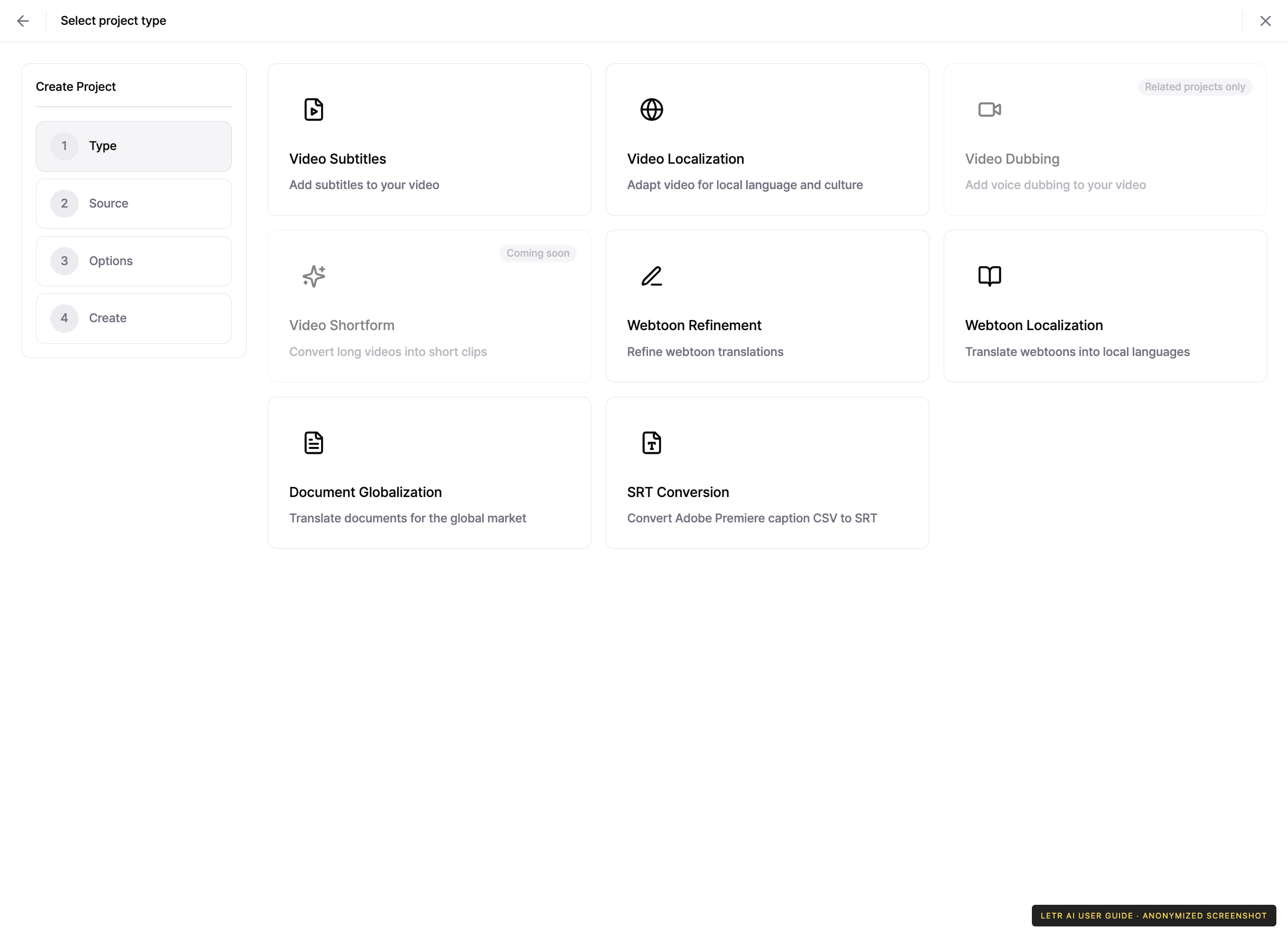
Project types#
Pressing Create project starts with picking a type. The type decides what sources and options the later steps ask for.
| Type | What it does |
|---|---|
| Video Subtitles | Add subtitles to your video |
| Video Localization | Adapt video for local language and culture |
| Video Dubbing | Add voice dubbing to your video |
| Video Shortform | Convert long videos into short clips |
| Webtoon Refinement | Refine webtoon translations |
| Webtoon Localization | Translate webtoons into local languages |
| Document Globalization | Translate documents for the global market |
| SRT Conversion | Adobe CSV converter — turns Adobe Premiere caption CSV into SRT |
Content types#
The project list filter groups projects by content type.
| Content type | Typical source |
|---|---|
| Video | mp4 video, YouTube video |
| Document | docx, pptx, xlsx and other document files |
| Image | Webtoon and other image files |
Work stages#
The same content is handled differently depending on the stage of work. The project list filter can narrow by stage.
| Stage | Description |
|---|---|
| Transcription | Check and improve the source text or subtitles |
| Translation | Move the source into another language |
| Review | Check and correct the source against the result |
| Dubbing | Turn the translation into speech |
| Subtitle sync | Re-time subtitles against an edited video |
Related projects#
Creating the next stage on top of a completed project is called a related project. Chaining transcription → translation → review → dubbing carries each stage's output forward as the next stage's source.
Account and contact details in screenshots are anonymized. Menus may vary by role and release.